Text
Any size, weight, colour and alignment. Multi-line for menus and notices.
A drag-and-drop editor built into POMP. Lay out text, images, shapes, a live clock and live weather exactly where you want them, and what you see is what plays. Prefer code? Write the JSON yourself.
Templates and live elements, playing on real screens. Menus can even switch by time of day with scheduling.
Menu boards, notices, welcome screens and promotions for schools, shops, offices, clinics, cafés, bars and more. Each one opens in the designer, ready for your words and photos.
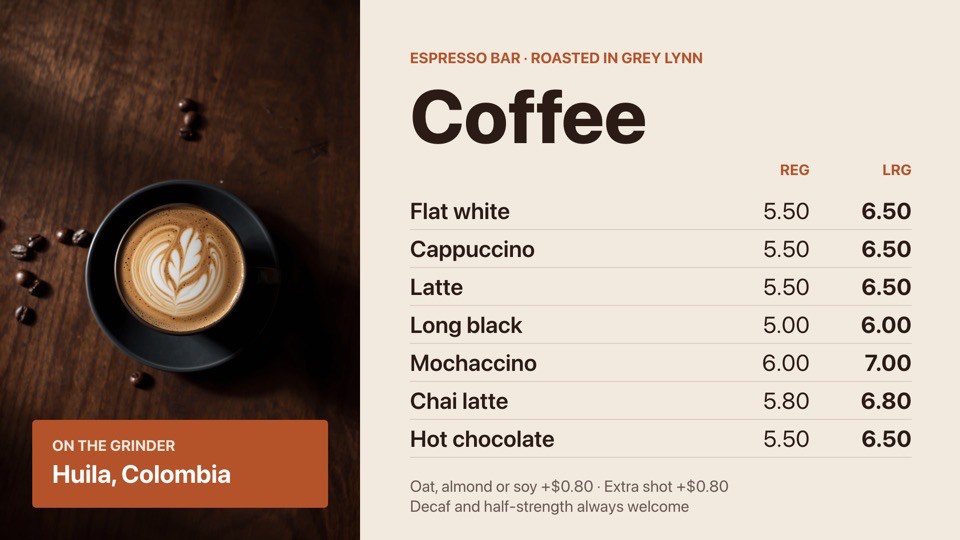 Coffee menuEspresso drinks in two sizes with a hero latte photoFreeCaféslandscape
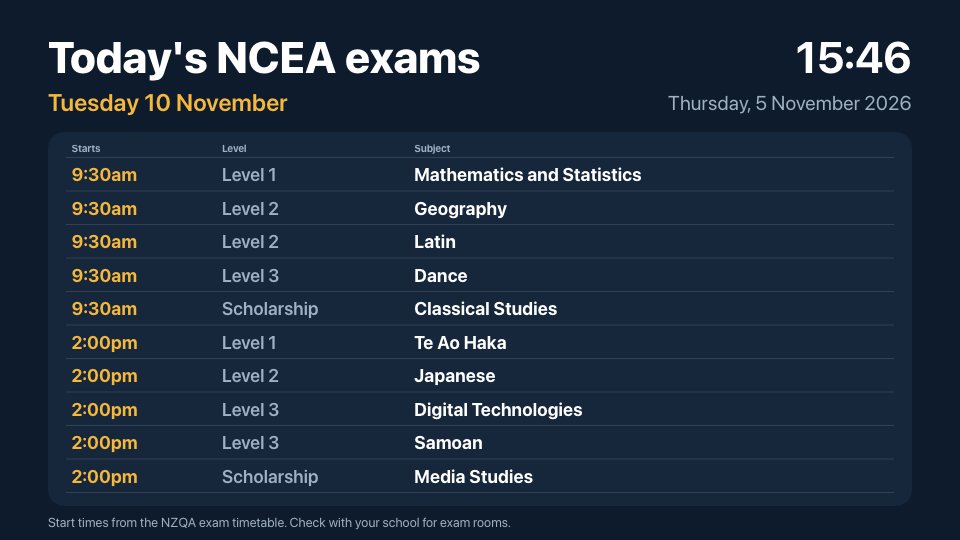 NCEA exams todayToday's NCEA and Scholarship exams and start times, updated by itself each dayFreeSchoolslandscape
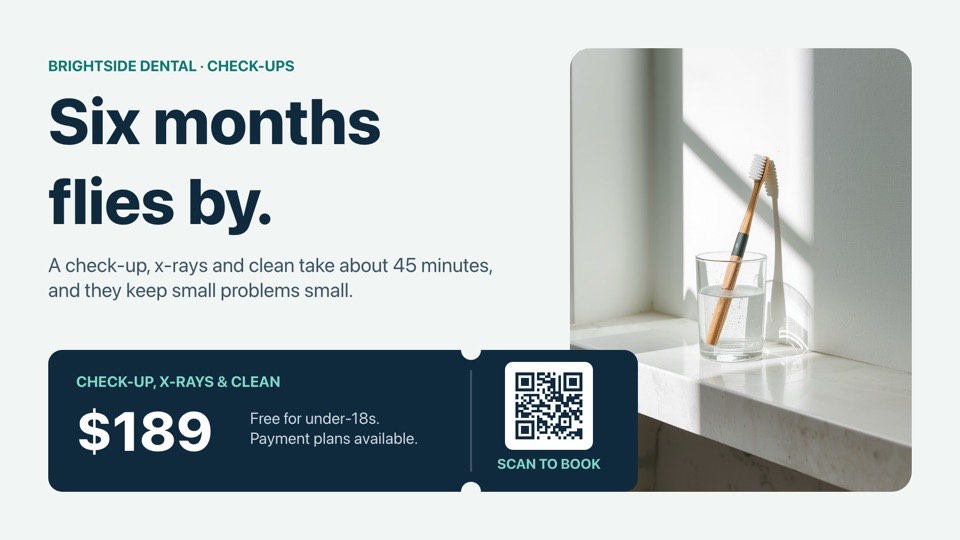 Check-up reminderSix-monthly check-up and clean reminder with price and booking QRFreeDentallandscape
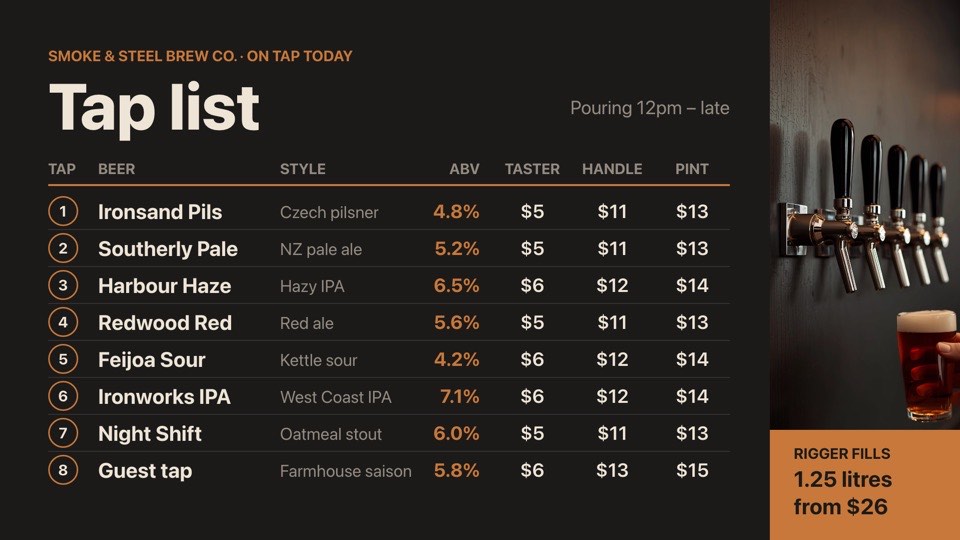 Brew bar tap listEight taps with style, ABV and taster, handle and pint pricesFreeBarslandscape
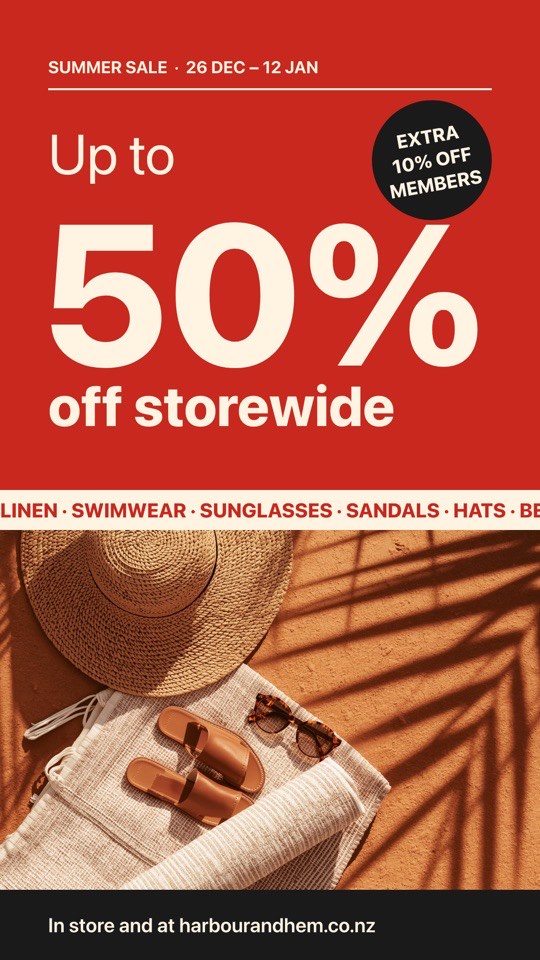 Summer sale posterGiant 50% off window poster with a summer product photoFreeRetailportrait
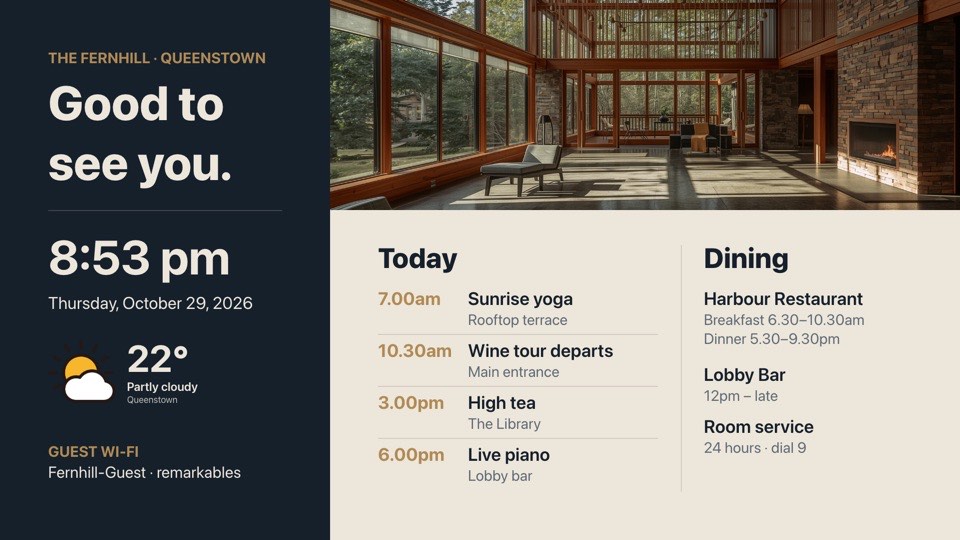 Lobby welcomeWelcome with time, weather, today's events and dining hoursFreeHotelslandscape
Tickers, countdowns, QR codes, Lottie and animations play on POMP player 2.1 or later, and older players show a still version. Buttons and live data lists need player 2.1.2.
Any size, weight, colour and alignment. Multi-line for menus and notices.
Logos, photos and backgrounds straight from your media library.
Rectangles and circles with fill, rounded corners and borders. Build cards, bars and badges.
Always the right time, rendered on the screen itself.
Filled in by the player, so it is always today.
Current temperature and conditions for any city, refreshed automatically.
Run text along any part of the design at the speed you choose.
Days, hours, minutes and seconds to an event, counting down live on the screen.
Point it at any link. It's drawn sharp at any size.
Paste a Lottie link for smooth, lightweight motion graphics.
Fade, slide or zoom elements in, stagger them, or add a gentle pulse, float or slow photo zoom.
Make any element tappable to go to the next, previous or a chosen slide, on touch screens, the web player or with a TV remote.
Paste any JSON link and pick the fields: a menu, timetable, leaderboard or a single total. Screens keep it up to date on their own.
The tools you'd expect from a design app, tuned for TV screens.
Elements snap to the canvas centre, its edges and each other.
Experiment freely. Every change can be undone.
Nudge with the arrow keys (Shift for 10px), duplicate with Cmd/Ctrl+D, delete with Backspace.
Reorder, lock and hide elements so complex layouts stay manageable.
Design for 1920×1080 or 1080×1920 screens.
Changes save as you work and reach every screen using the design.
One design can appear in any number of playlists. Duplicate it to make variations.
Every design compiles to a JSON layout that POMP players render natively, the same on Apple TV, Android and the web. Open the JSON tab to see it, edit it, or replace it with your own.
{{currentTime}} and {{currentDate}}{
"type": "LinearGradient",
"props": { "colors": ["#1e3a8a", "#0f172a"],
"start": { "x": 0, "y": 0 }, "end": { "x": 1, "y": 1 } },
"style": { "width": "100%", "height": "100%" },
"contents": [
{
"type": "Image",
"props": { "source": "https://cdn.example.com/logo.png", "resizeMode": "contain" },
"style": { "position": "absolute", "left": 120, "top": 100, "width": 320, "height": 120 }
},
{
"type": "Text",
"contents": "Open today until 9pm",
"style": { "position": "absolute", "left": 120, "top": 440,
"fontSize": 120, "fontWeight": "700", "color": "#ffffff" }
},
{
"type": "Text",
"contents": "{{currentDate}} · {{currentTime}}",
"style": { "position": "absolute", "left": 120, "top": 900,
"fontSize": 48, "color": "#bfdbfe" }
}
]
}Add a Custom design screen to any playlist and pick a design. Edit the design later and every playlist and screen that uses it updates on its next refresh.
No. Start from a template (welcome screen, weather and clock, announcement or menu board), change the words and colours, and you're done.
Yes. Every design is a JSON tree of View, Text, Image and other nodes with React Native style properties, positioned on a 1920×1080 canvas. Build it in any editor, script or tool, paste it into the JSON tab and press Apply.
POMP checks it before applying. Invalid JSON or unsupported node types are rejected with a message, so a typo never reaches your screens.
Yes. Reset to visual and the screen uses the drag-and-drop layout again.
Free includes 3, Basic 20, Pro 100 and Advanced 500.
The Free plan is free forever. No card, no contract, no special hardware.